
Portal · Mobile app
Manage members, invitations and roles
Check who has access, invite people and give each person the smallest role they need.
Open Users
In the Portal, open Settings → Users. Members and Invitations are two sections inside it. In the app, the same tools are under Account → Users.
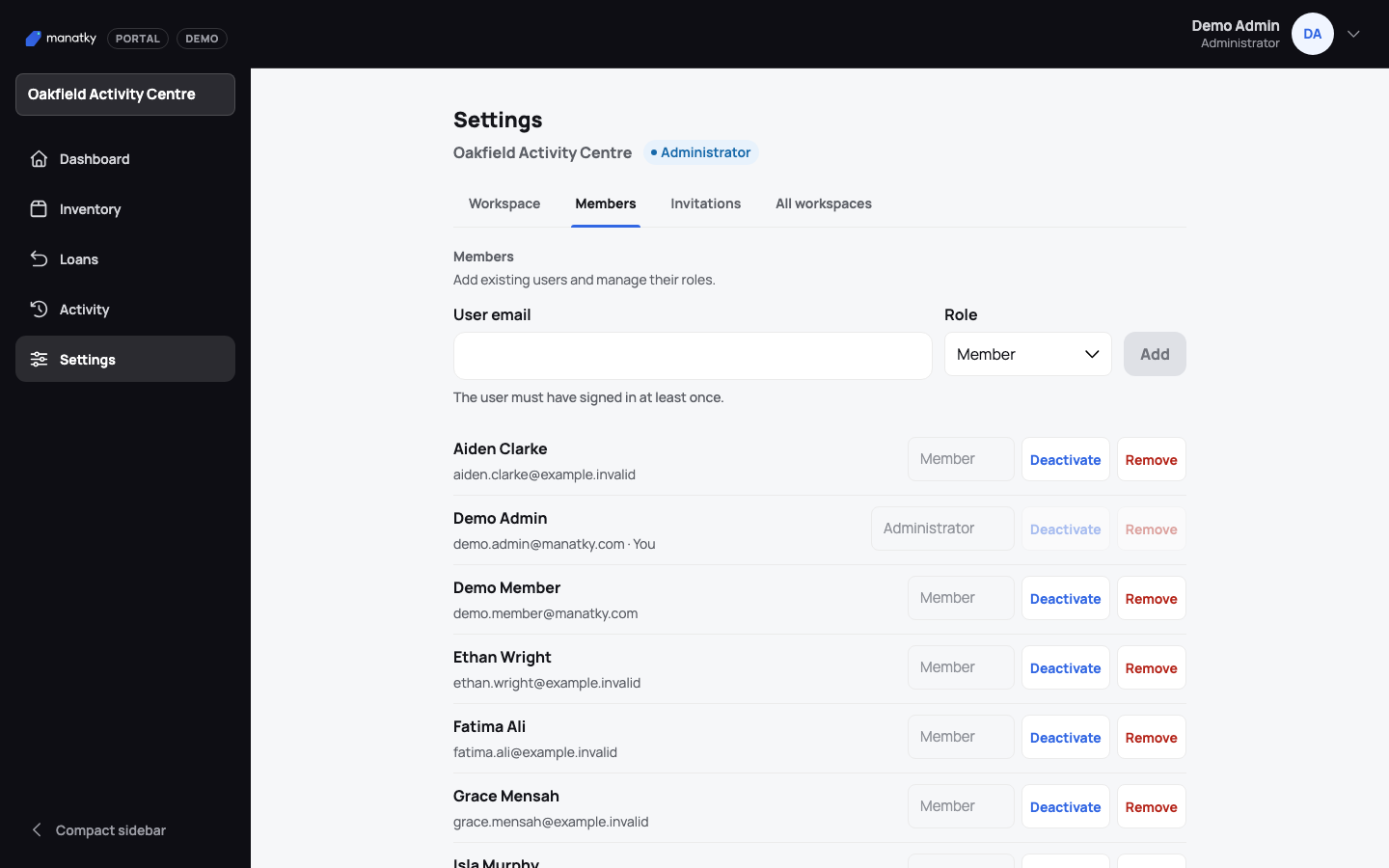
Review current members and their roles under Settings → Users. Know the roles
Members use inventory and their own loans. Administrators also manage inventory, members and operations. Owners can also manage administrators and owner-only settings.
Invite someone
Open Invitations and choose Invite member. Enter the person’s email, choose a Role and choose Invite. Email language starts as the language you are using and you can change it before sending — it only sets the language of the message. Administrators can invite members; owners can invite members and administrators. The person must accept with that same email address.
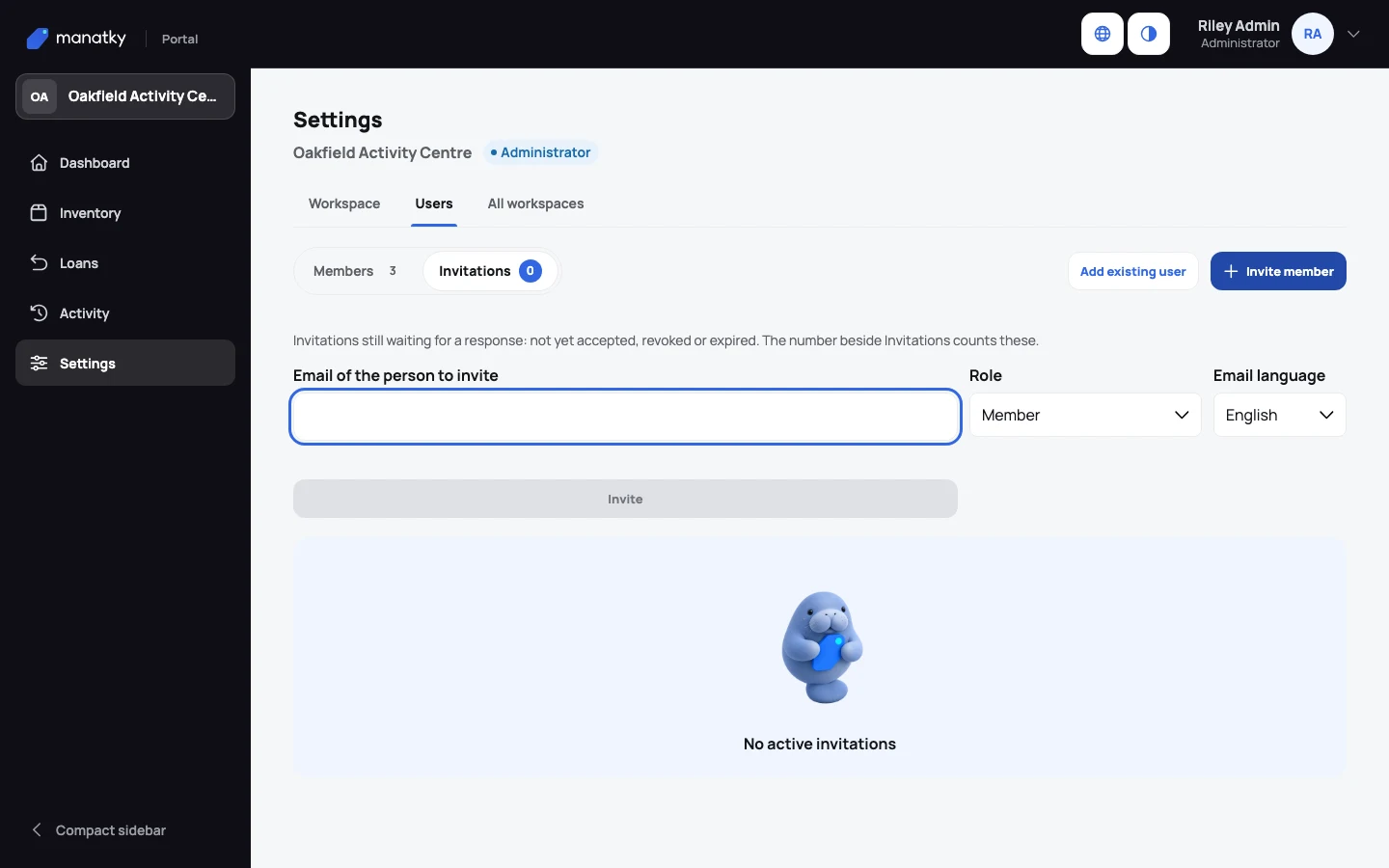
Choose the smallest role they need and the language of the invitation email. Check or cancel an invitation
An invitation is valid for seven days and works once. Choose Revoke to cancel it, then invite again if needed. Someone who is already a member can’t be invited again.
Change or remove access
Use the action on the member’s row. Administrators manage members; owners manage members and administrators. You can’t change your own membership.