
Equipment management for teams
Know what you have, where it is and who has it.
Manatky keeps shared equipment, loans and activity organised across mobile and desktop.
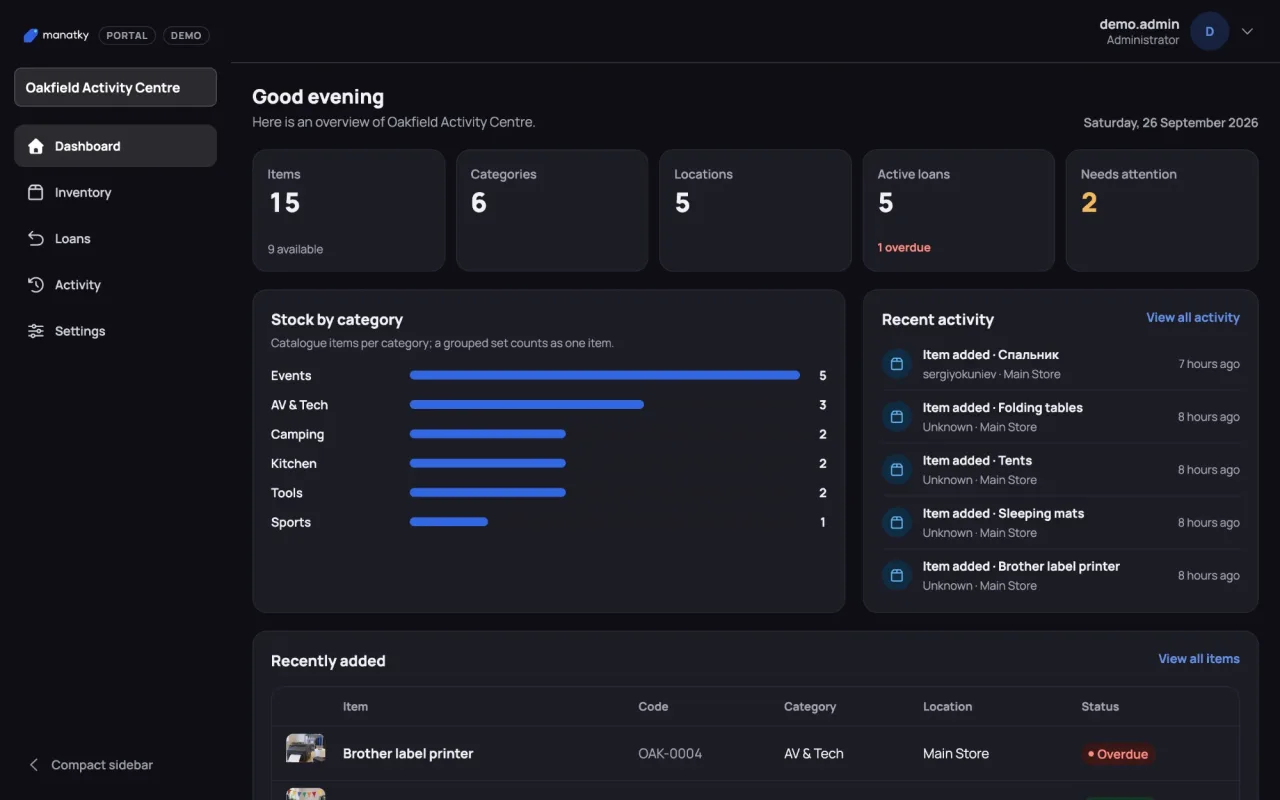
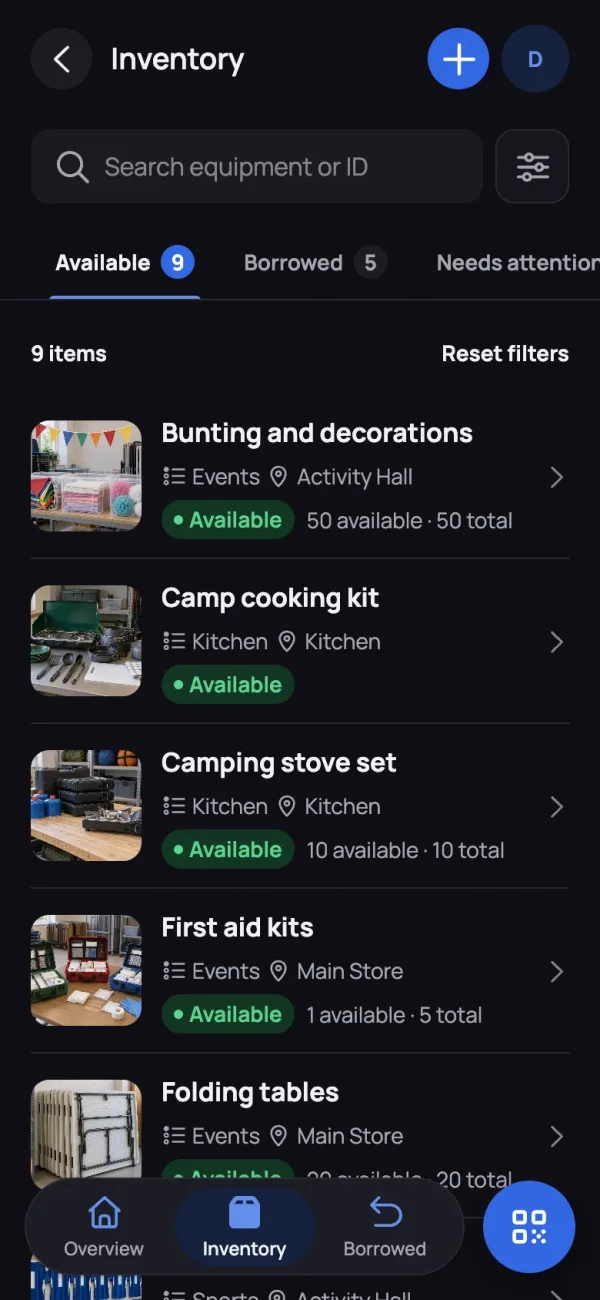
Track equipment
One shared inventory for everything you own.
Manage loans
Know what's out, with whom, and when it's due.
Scan QR labels
Open any item's record with a single scan.
Stay up to date
See activity, overdue items and issues at a glance.
How it works
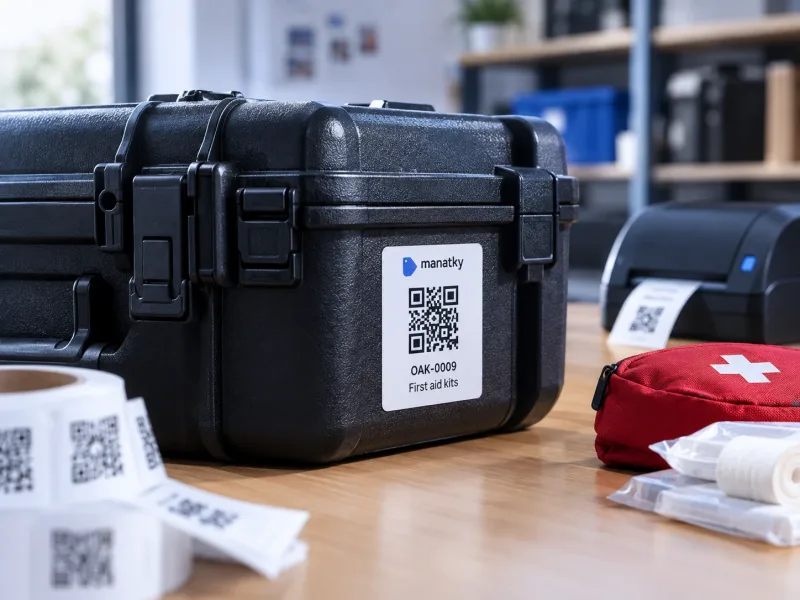
Tag it
Add an item to the inventory and print its QR label.
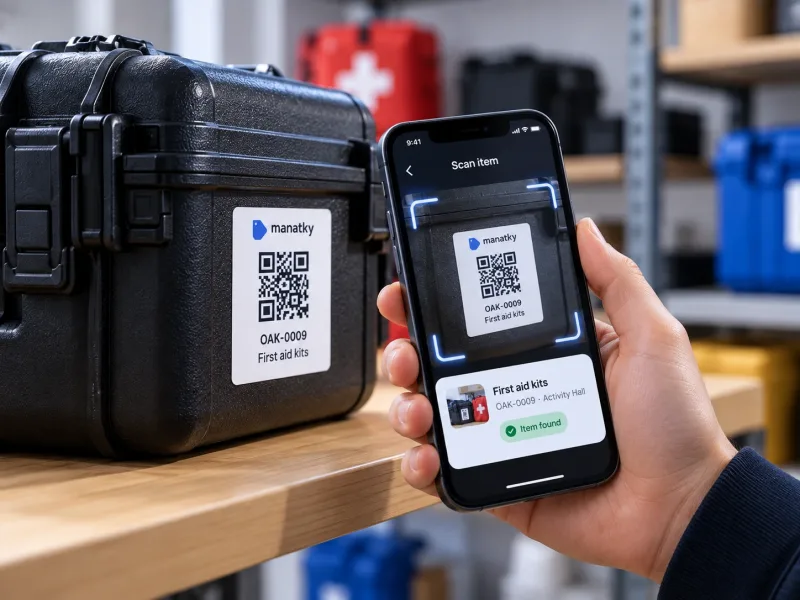
Scan it
Borrowers scan the label to open the item and record a loan.
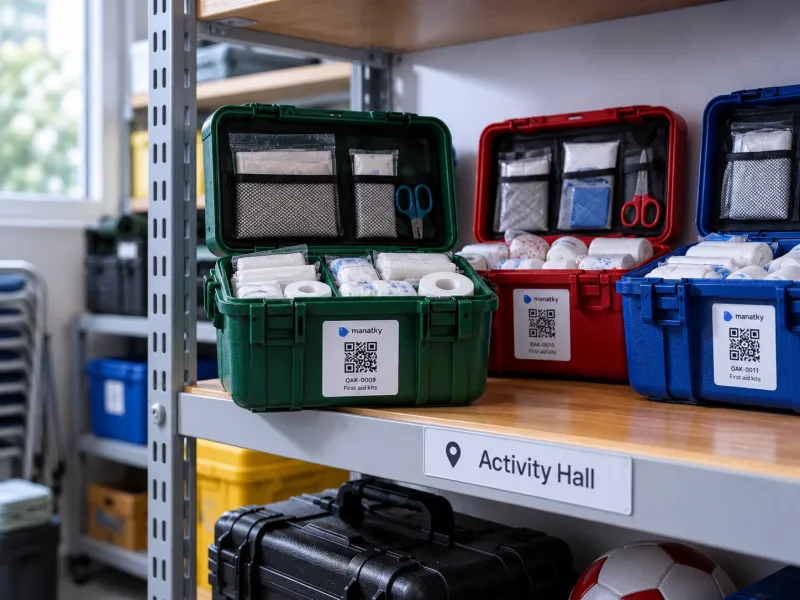
Know where it is
See where it belongs, who has it, when it's due and what happened before.
Manatky in 60 seconds
The bigger picture
A clearer view for your organisation.
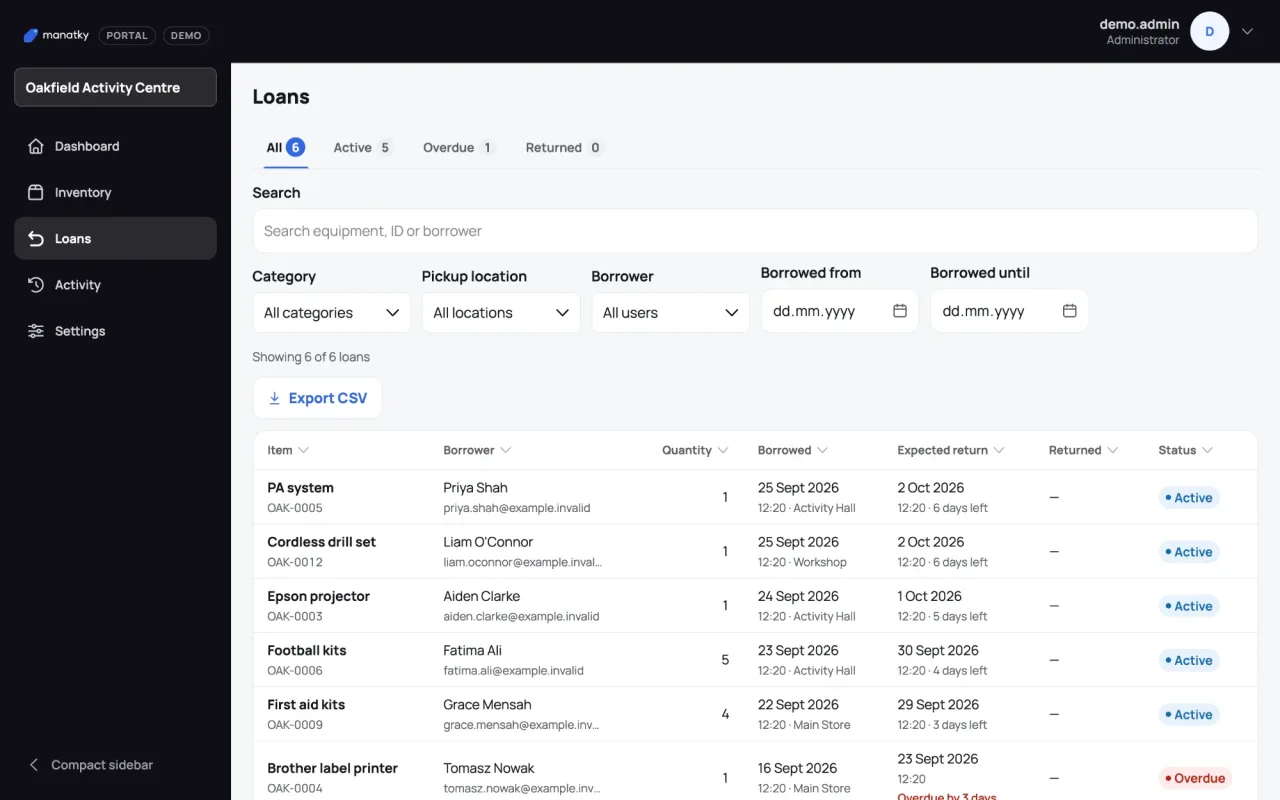
The portal gives administrators a desktop dashboard over the whole workspace — inventory, loans and recent activity at a glance, with overdue items surfaced for follow-up and CSV export for reporting outside Manatky.
- Inventory
- Loans
- Activity
- CSV export
- Batch archive
- Label printing
Our story
It started with our own stuff.
Manatky began as a simple way to keep track of equipment for Ukrainian scouts in London. Our gear was spread across different places and passed between different people. We needed an easy way to know what we had, where it was and who had it.
Why "Manatky"? The name comes from “манатки” — a colloquial word for your belongings, bits and pieces.

Built for teams with things to share.
From activity kit and sports equipment to AV gear, tools and shared resources.
- Clubs
- Youth organisations
- Schools
- Community centres
- Small teams
Questions, answered
A little more detail.
Practical answers about using Manatky with your team and equipment.
What is Manatky?
Manatky is a web-based inventory system for shared equipment. It keeps item records, locations, loans, returns, condition history and issues together in one workspace.
Who is it for?
It is designed for clubs, youth organisations, schools, community centres and small teams that lend out or share equipment.
Can we print QR labels?
Yes. Members can view and print QR labels for equipment they can access in the mobile app, including selected batches. Administrators and owners can also print labels from the portal. Scanning a label opens that item’s record in Manatky.
Do we need a special label printer?
No. Manatky creates printable labels that can be printed with a regular printer, including A4 batch sheets. A label printer can be a more convenient option, but Manatky does not require or directly control special hardware.
Does it work on phones and computers?
Yes. The inventory app is designed for phone-based tasks such as scanning, borrowing and returning, while the portal provides a broader desktop view for administration and reporting. Both run in a web browser.
How do borrowing and returns work?
A member opens or scans an item, records the quantity, pickup location and due date, then returns all or part of the loan later. Their active loans and loan history remain available in the app.
Can Manatky track equipment in quantities?
Yes. Equipment can be recorded as individual items or as grouped stock with a total and available quantity, so several units can be borrowed and returned without creating a separate record for every unit.
Can we add photos and report problems?
Yes. Item records can include catalogue photos. Members can add condition photos during returns and report an issue, while administrators can review issue and condition history.
How do members and workspace access work?
Access is tied to workspace membership. Members can browse and borrow equipment; administrators and owners can manage inventory, members, invitations and operational records, with permissions enforced for each role.
Can we export data or review activity?
Yes. In the portal you can filter inventory, loans and — for administrators and owners — recent activity, then export the rows you see as CSV for reports and follow-up. An export contains only the records currently loaded and shown by your filters, so Activity is a view of recent events rather than a complete history; the portal warns you when a table reaches its loaded-record limit.
Do we need to install an app from an app store?
No. Manatky runs in a web browser on phone and computer. On supported devices it can also be added to the home screen as a web app, without an app-store download.
How can we try Manatky?
Use the Request a demo form to tell us about your team. You can also see the current plans and prices on the pricing page. Plans are arranged by contact for now — there is no online checkout or self-service sign-up — and we will help you choose a plan and set up your workspace.
Got things to keep track of?
Tell us about your team and we’ll show you how Manatky could work for you.