
Mobile app · Portal
Find and view equipment
Search or filter the catalogue, then open an item to see its details and photos.
Open Inventory
In the app, choose Inventory. In the Portal, choose Inventory in the sidebar.
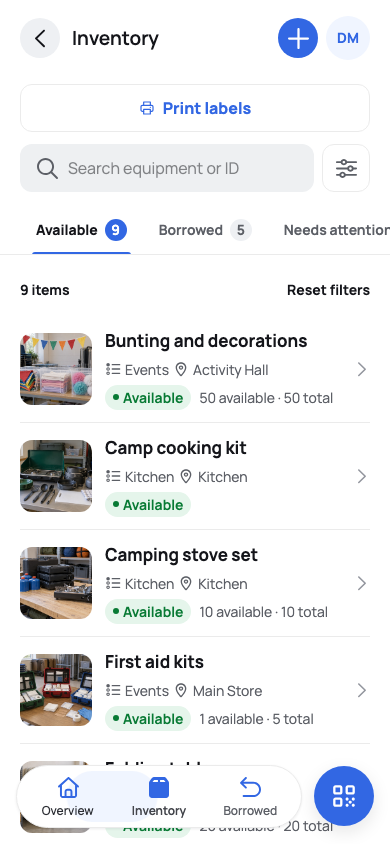
Inventory brings searchable equipment details into one mobile list. Search or filter
Type a name or code in “Search equipment or ID”, or open Filters to narrow the list by status, category or location. The Portal keeps your filters in the page address, so you can bookmark a view.
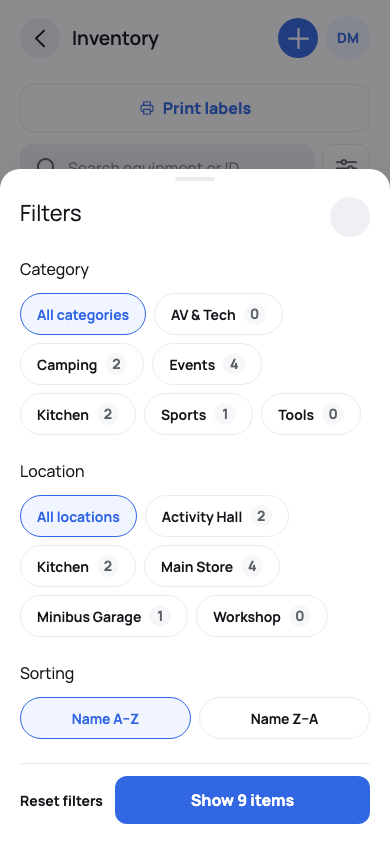
Filter by category or location, then choose the order of the results. Open an item
Select an item to see its location, availability, quantity, what’s included and its photos. In the Portal, Open in app takes you to the app for actions such as borrowing.
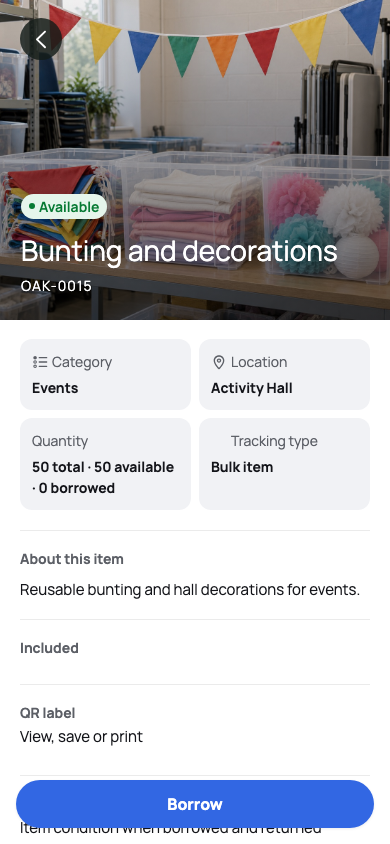
An item detail keeps its photo and practical inventory facts together. Or scan its label
If the item has a QR label, choose Scan in the app and point the camera at it. You may need to sign in first.